THEME - Theme operations
info
Retrieves information about the specified theme.
shoper theme info [id]
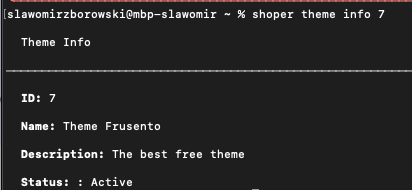
Description: Displays details about the current theme.
init
Duplicates the specified theme.
You cannot duplicate a theme while in the skin directory. Exit the skin directory, then perform the operation by specifying the ID of the theme you want to duplicate.
shoper theme init [id]
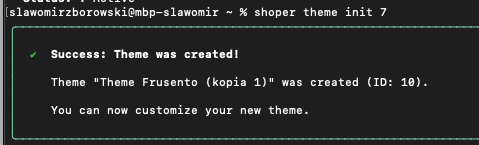
Description: Creates a copy of an existing theme.
list
Display all store themes along with their IDs and status.
shoper theme list
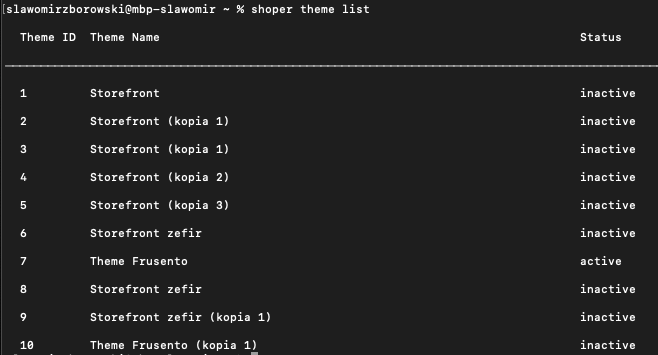
Description: List of themes in the store (ID, name, status).
pull
Download theme directory to local environment
You cannot download the default store theme (main theme). Create a copy of it to continue working.
shoper theme pull [id]
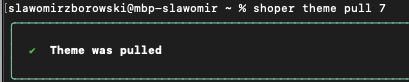
Description: Downloads the current version of the theme and overwrites local files.
Explanation: The name of the downloaded directory has a specific structure:
ID_Theme-name_timestamp
- ID - theme identifier
- Theme-name - theme name
- timestamp - timestamp of theme download from the server
push
send all changes made in the theme directory to the server
shoper theme push

Description: Uploads local theme files to the store and overwrites the current version.

Explanation: It is important to do a push, you must enter the theme directory you want to upload to the server, otherwise the following error is returned.
verify
verification whether the indicated theme and its content are correct
The command is to allow verification whether the indicated skin directory and subdirectory structure, etc., are correct.
shoper theme verify
If the theme directory and its content are correct, the message is as follows:

If the theme directory and its content are incorrect, the message is as follows:



watch
Continuously monitors local theme files for changes and automatically uploads them to the store with real-time preview refresh.
shoper theme watch
shoper theme watch --open
Description: Watches the current theme directory for file changes (add, modify, delete) and performs a partial push to the store automatically. The store preview refreshes after each successful push.
Requirements:
- You must run this command from inside a theme directory (the same as for
push) - Active authentication token is required
- The theme must support partial push (check permissions via
theme list)
Flags:
| Flag | Type | Default | Description |
|---|---|---|---|
--open |
boolean |
false |
Opens the store theme preview in a browser when watch starts. The browser tab auto-refreshes after each push. |
How it works:
- Initial scan of the theme directory is performed
- File watcher starts monitoring for changes (new files, modifications, deletions)
- Hidden files and directories (starting with
.) are automatically ignored - Changes are batched - multiple rapid file changes within 750ms are grouped into a single push
- Only changed files are pushed (partial push), not the entire theme
- If the
--openflag is used, a browser window opens with the theme preview and refreshes after each push - If another change occurs during an active push, it is queued and executed after the current push finishes
Interactive commands during watch:
While watch mode is active, you can type commands prefixed with /:
| Command | Description |
|---|---|
/quit |
Exit watch mode (alternatively use Ctrl+C) |
/open |
Open the theme preview in a browser tab (if not already open) |
/clear |
Clear the log output from the screen |
See also: Real-time theme development with watch for a step-by-step tutorial.
Logs:
Watch mode displays real-time logs including:
- Detected file changes and their paths
- Batch processing information (number of files)
- Push status (in progress, success, error)
- Browser status (opened, refreshed, closed)
If the browser window is closed manually during watch, you can reopen it using the /open command or by restarting watch with --open.
delete
permanent deletion of the indicated theme on the server.
shoper theme delete [id]

After selecting Y - yes, I want to delete for sure.
theme-delete-confirmation.png

Description: Deletes the theme with the specified ID.